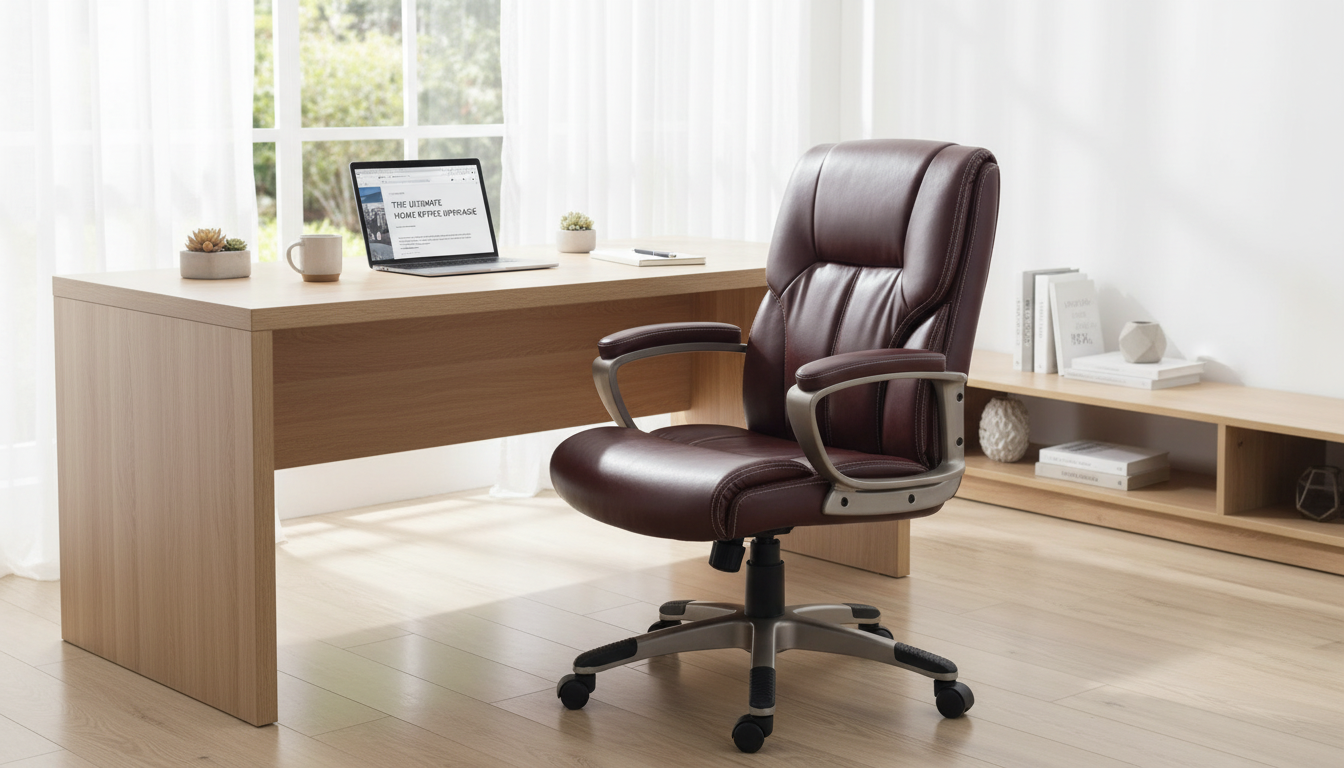
A supportive desk chair should reduce strain during long sessions while still looking polished in a home office or professional workspace. This brown high-back executive chair pairs a cushioned, easy-clean PU leather finish with ergonomic shaping and lumbar support, aiming for comfort, posture alignment, and everyday durability at a practical price point.
Executive chairs tend to feel more substantial than minimalist task chairs, and this design follows that tradition with a taller profile, fuller padding, and a warm brown finish that reads classic in many rooms.
If your day includes frequent emails, calls, and focused typing, the “executive” feel often comes down to how supported your back and shoulders feel after a few hours—not just how the chair looks when it’s tucked under the desk.
Lower-back support can make the difference between staying comfortably upright and gradually collapsing into a slouch. A defined lumbar zone helps maintain the natural curve of the spine while you work, and a high back can feel especially restorative when you lean back briefly between tasks.
| Adjustment area | Target position | Why it matters |
|---|---|---|
| Seat height | Feet flat, knees ~90° | Supports circulation and reduces hip strain |
| Back support | Lumbar curve filled, shoulders relaxed | Helps maintain neutral spine alignment |
| Arm support | Elbows ~90°, forearms level | Reduces shoulder and neck tension |
| Screen height | Top of monitor near eye level | Helps avoid forward head posture |
For broader workstation guidance, authoritative resources like the OSHA Computer Workstations eTool and the Mayo Clinic office ergonomics guide offer practical setup benchmarks that complement a supportive chair.
PU leather (also called polyurethane leather) is popular in home offices because it delivers a smooth, finished look and is generally low-maintenance for everyday use.
To keep the surface looking even, wipe it down regularly so skin oils and dust don’t build up in high-contact areas (like the headrest and arm zones). If you’re seated for long stretches, a comfortable room temperature and airflow can also help PU leather feel better throughout the day.
Before committing to any high-back chair, it helps to think in three dimensions: how it fits under the desk, how it moves behind the desk, and how it “reads” visually in the room.
If armrests meet the desk edge too soon, the chair can end up sitting farther away than is comfortable, leading to reaching and shoulder tension. A small adjustment in seat height—or a mat to improve glide—often resolves this without changing your entire setup.
For posture habits beyond the chair itself, learning why neutral alignment matters can be helpful; Harvard Health Publishing offers a clear overview on the importance of good posture.
| Detail | Value |
|---|---|
| Product page | https://interiorsgallery.shop/brown-high-back-executive-office-chair-pu-leather-lumbar-support-ergonomic/ |
| Price | 145.01 USD |
| Availability | In stock |
| Primary features | High back, PU leather, lumbar support, ergonomic design |
| Color | Brown |
PU leather is a practical choice for office chairs because it’s typically easy to wipe clean and resists minor everyday spills. Comfort depends on the padding and room temperature, and basic care (gentle cleaning and avoiding heat/sun) helps it last longer.
The best ergonomic chair is the one that fits your body: lumbar support that matches your natural curve, seat height that keeps knees near 90 degrees, and arm positioning that lets shoulders relax. If back pain persists or worsens, a clinician or physical therapist can help identify the right setup and habits for your needs.









Leave a comment