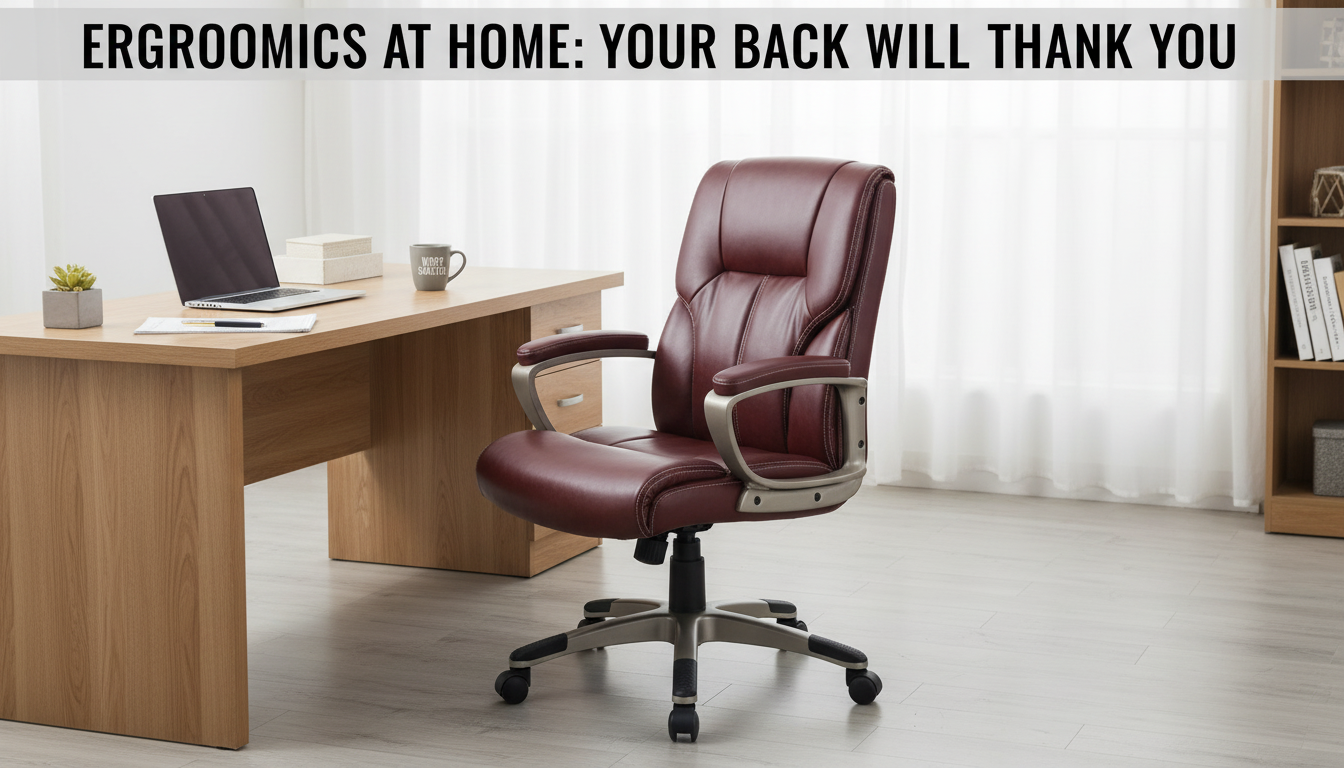
The best ergonomic office chair for back pain is one that fits your body and supports your spine’s natural curve all day—especially your lower back. Look for a high-back design with adjustable lumbar support, a seat that keeps your hips level (or slightly higher than your knees), and armrests that let your shoulders stay relaxed. A chair can be “premium” and still cause pain if the lumbar support hits the wrong spot or the seat depth forces you to perch.
Adjustable lumbar support: The most important feature for many people with back pain. A good lumbar pad should be firm enough to maintain posture, but adjustable so it lands in the small of your back—not your mid-back.
High-back support: A high-back chair can reduce fatigue by supporting the upper back and encouraging a neutral posture during long sessions.
Seat depth and cushioning: You should be able to sit back with 2–3 fingers of space behind your knees. Cushioning should distribute pressure without letting you sink and round your lower spine.
Recline with tension control: Micro-reclining throughout the day can reduce spinal loading compared with a rigid upright position. A chair that reclines smoothly makes this easier.
Armrests that actually help: Height-adjustable (and ideally width-adjustable) armrests reduce strain by preventing slouched shoulders that can trigger upper-back tightness.
If you prefer a structured, supportive feel, a high-back executive chair with built-in lumbar support can be a practical pick for back pain—especially when it includes a supportive backrest, comfortable padding, and a stable base for all-day use. For a detailed look at a popular style, see this guide to a brown PU leather high-back executive chair with lumbar support: https://interiorsgallery.shop/guide-brown-pu-leather-high-back-executive-chair-lumbar-support/.
Set the lumbar support to fill the curve of your low back, then adjust seat height so feet rest flat and hips are slightly above knees. Keep your back against the backrest, bring your monitor to eye level, and use the recline for short posture changes instead of leaning forward for hours.
Position the lumbar support so it sits in the small of your back and feels like it’s gently “holding you up,” not pushing you forward. If you feel pressure higher on your back or your pelvis tilts forward, lower it or reduce the firmness.









Leave a comment